ONE-PAGER · FEEDBACK & INITIATIVE WORKSPACE
Ideas App:
from feedback to shipped work.
One shared workspace to collect customer suggestions and team ideas, weigh pros and cons in a single thread, assign accountable ownership on acceptance, and track progress to delivery.

- What it is
- Customer feedback & internal ideas pipeline built on Dashboard UI
- Feedback widget
- Drop-in button for websites & portals that feeds your Inbox automatically
- Core rule
- Accepting an idea makes you its accountable Stakeholder
- Built for
- Closing the loop from customer suggestion to shipped software
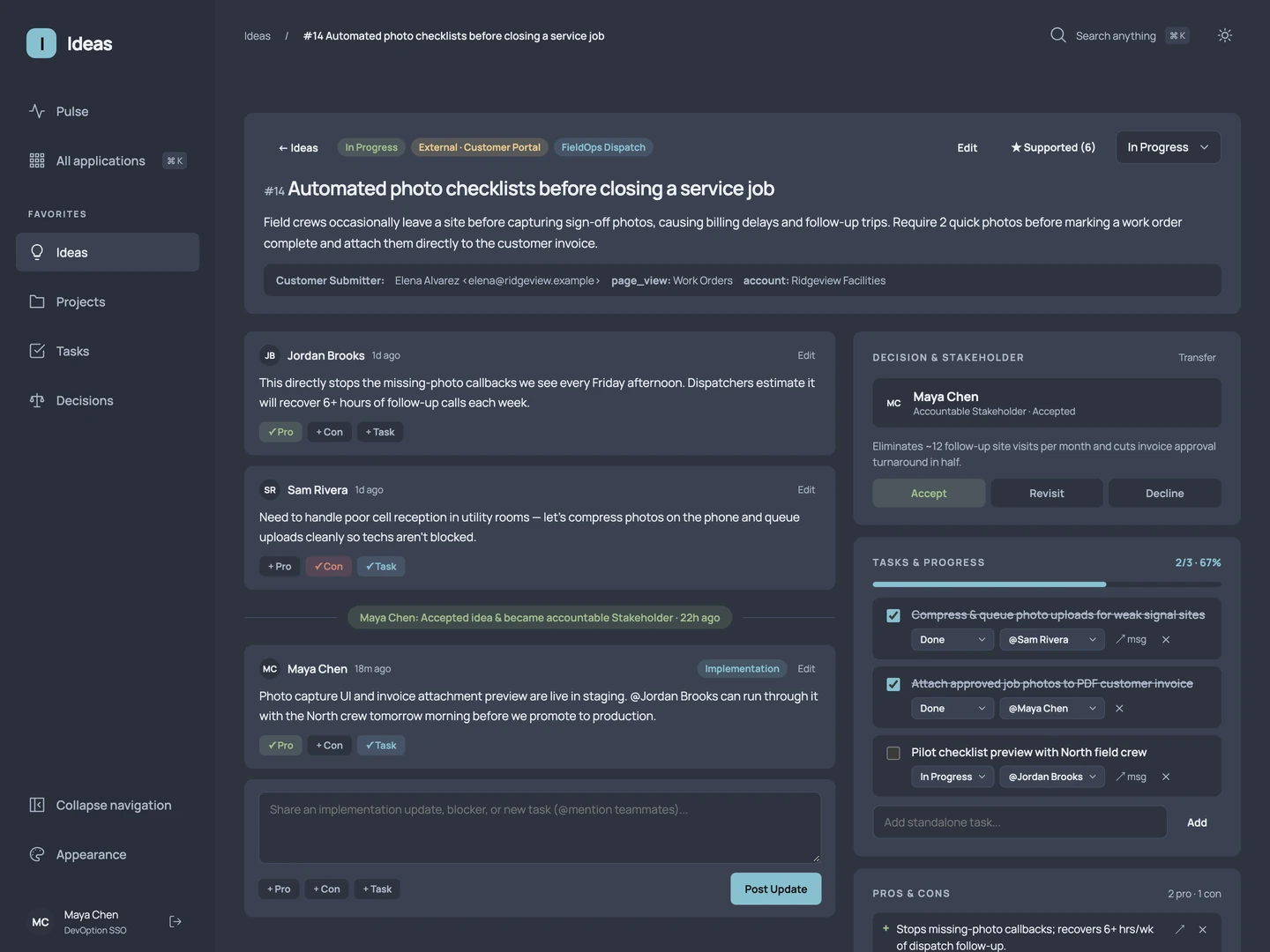
Pro, Con, Task), official decision milestones, and live task progress all stay together in one split-screen view.THE PROBLEM
Why good customer and team ideas quietly disappear.
Most organizations don’t have a shortage of good ideas — they have a gap between capturing feedback, deciding what deserves attention, and seeing it through.
-
01
Scattered across chat and email
Valuable suggestions arrive in customer emails, phone calls, chat threads, and sticky notes. Weeks later, nobody can find the original context or who asked for it.
-
02
Debate without ownership
Teams discuss the same improvement three times without recording pros, cons, or a clear decision — and even when everyone agrees, no single person owns follow-through.
-
03
Feedback forms that lead nowhere
Website and portal feedback widgets often dump entries into an unmonitored spreadsheet instead of routing straight into the right project’s live triage queue.
HOW IT WORKS
Capture, weigh, commit, and deliver — without switching tools.
Every idea follows a clear, lightweight lifecycle inside a single workspace so your team spends time making good calls instead of copying notes between apps.
-
01
Capture directly from your website or app
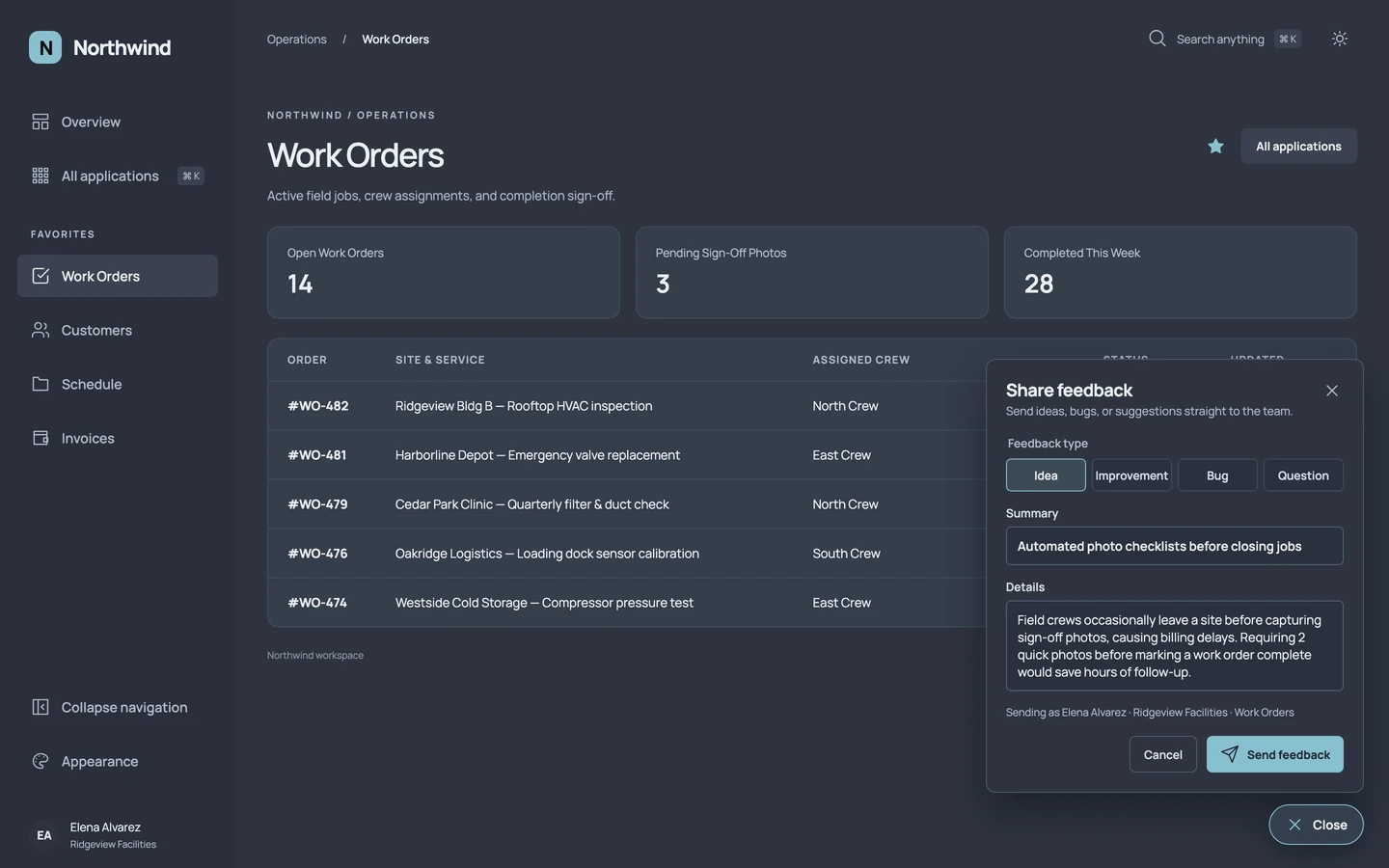
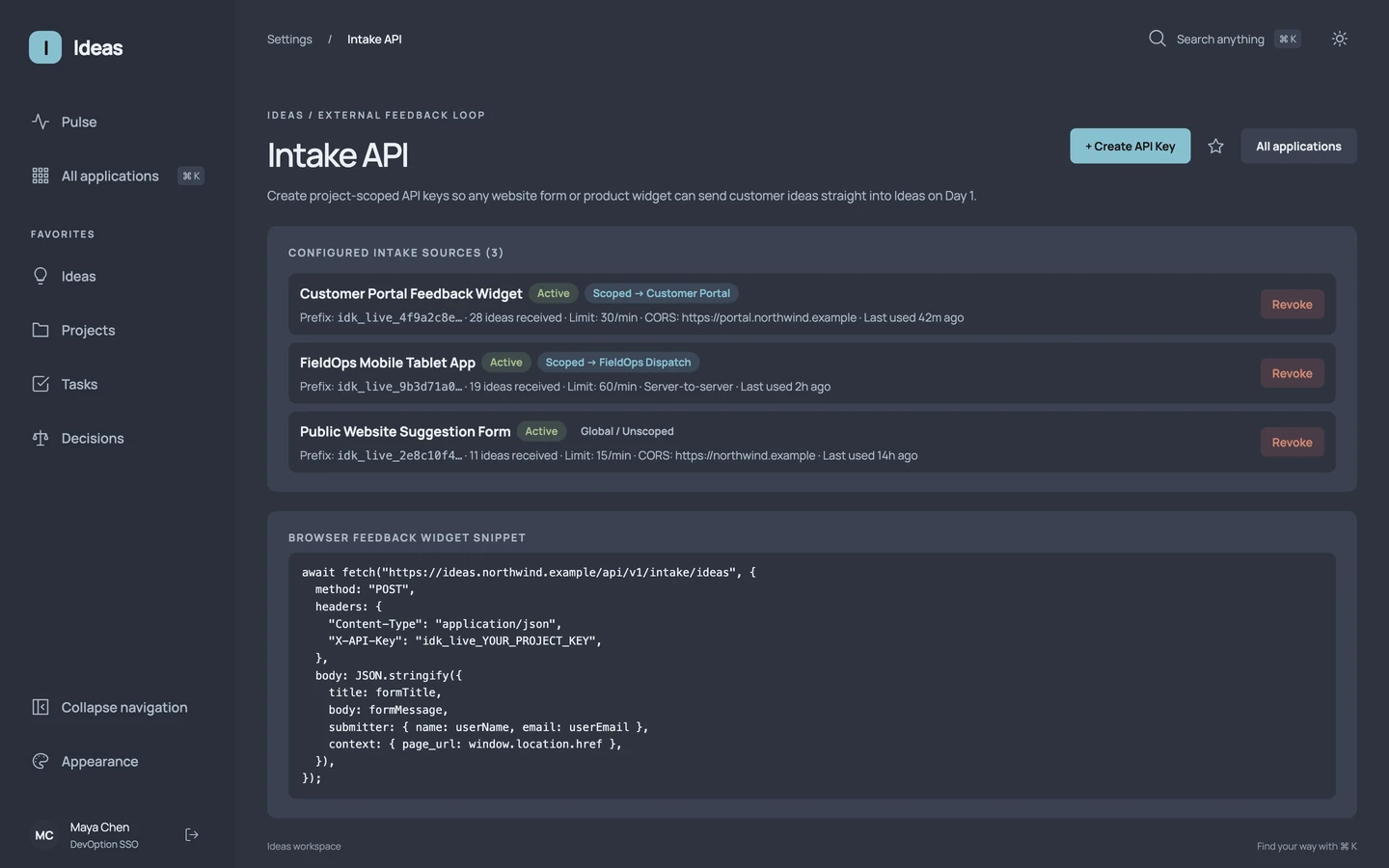
Drop our persistent Feedback widget into any website, customer portal, or internal workspace. Users pick a type (Idea, Improvement, Bug, or Question) and submit without leaving their screen — their account, organization, and current page route straight into the right project via the scoped Intake API.
-
02
Tag messages into live Pros, Cons, and Tasks
Tag any comment as Pro, Con, Task, or any combination. Tagged points automatically populate the right-hand summary and task checklist — with one-click jump-back to the exact message for full context.
-
03
Accept = Become Stakeholder
Record an official decision — Accept, Revisit Later (with a scheduled date), or Decline — alongside written rationale. Accepting requires stepping up as the accountable Stakeholder, with full audit history if ownership transfers later.
-
04
Stay aligned with Pulse & Projects
Attach ideas to existing projects or kick off a new project from an accepted idea. Live notifications, unread indicators,
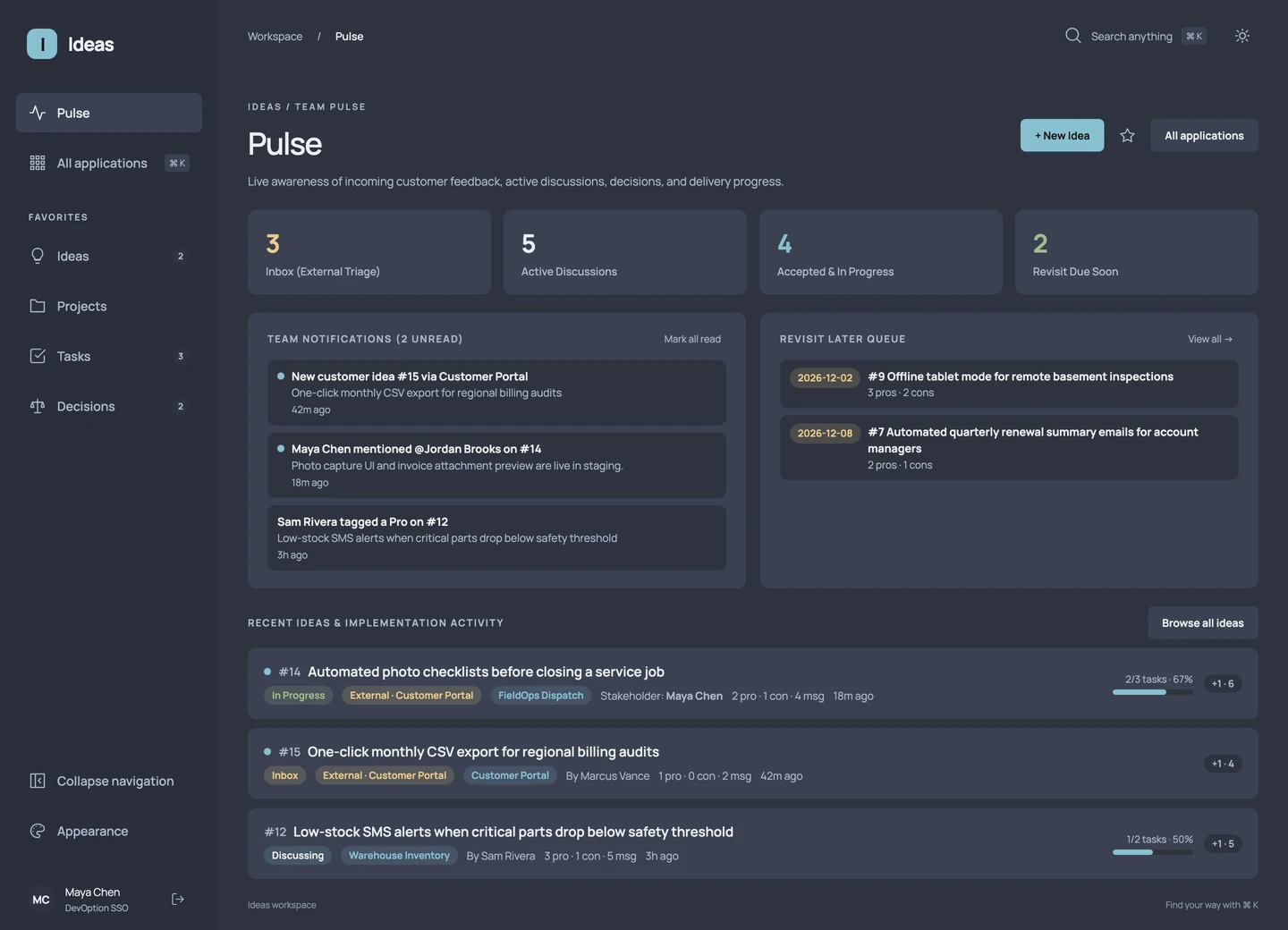
@mentions, task completion bars, and Revisit-Due reminders keep the whole team aware without status meetings.
BUILT-IN FEEDBACK LOOP
A drop-in feedback widget that connects users straight to your pipeline.
We run this exact widget inside our own customer portal. A quiet Feedback button sits in the bottom-right corner of every page, keeps API keys safely off the browser, prevents duplicate submissions, and returns an instant receipt number once logged in Ideas.
INSIDE THE APP
Team-wide visibility and project-scoped API keys.
HOW CUSTOMERS USE IT
Ready to adapt around your team’s workflow.
We built Ideas App to run our own product feedback loop — and because it’s built on our reusable platform, we can deploy and customize it directly for your organization.
- Customer-facing feedback loop: Drop a feedback button into your customer portal or website so real requests reach your team with zero friction.
- Internal operations improvements: Give branch managers, field crews, and support staff one place to suggest fixes and see what gets adopted.
- Optional public roadmap controls: Keep ideas internal by default, or mark approved items ready for title or status visibility when you choose to share progress.
- Tailored to your business: Adjust stages, project fields, SSO sign-in, and handoffs to match the tools your team already uses.
DEPLOY IT FOR YOUR TEAM
Part of the DevOption relationship.
Run a branded, tailored Ideas App for your organization — or connect it to a custom operations workspace — built, hosted, and supported by DevOption.
- Branded to your company with your logo, accent colors, and workspace modules.
- Onboarding, hosting, and ongoing improvements handled by the team that built it.
- Preview every refinement with your team before deploying changes to production.
- Your app, your data: Built on our portable open source platform with no lock-in.
POWERED BY DASHBOARD UI
Built on DevOption’s reusable Dashboard UI shell.
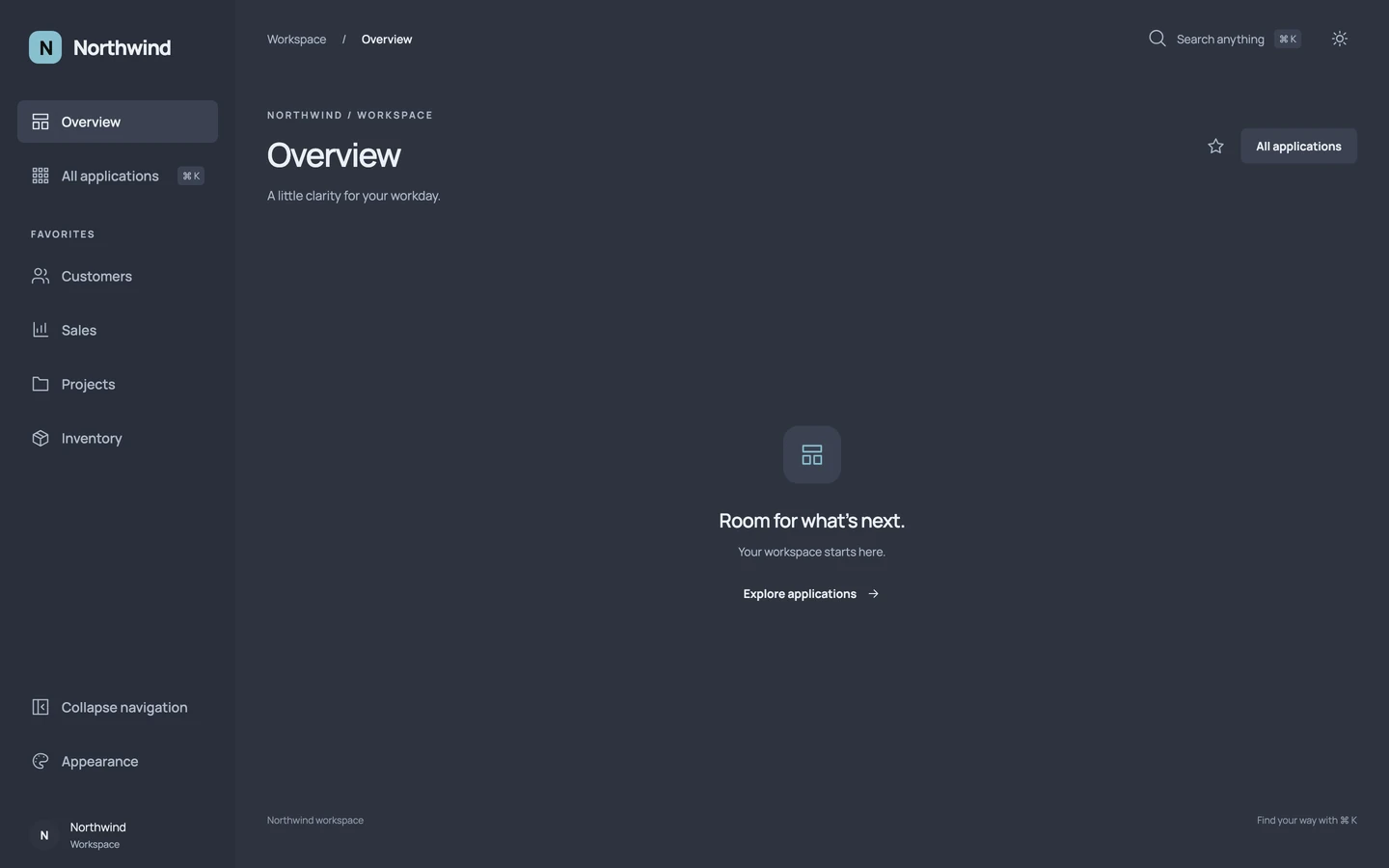
Notice the collapsible sidebar, ⌘K search, and clean Nord dark/light theming? Ideas App runs directly on our Dashboard UI foundation — showing how quickly real operational software comes together when the workspace chrome is already solved.