ONE-PAGER · WORKSPACE FOUNDATION
Dashboard UI
built for everyday work.
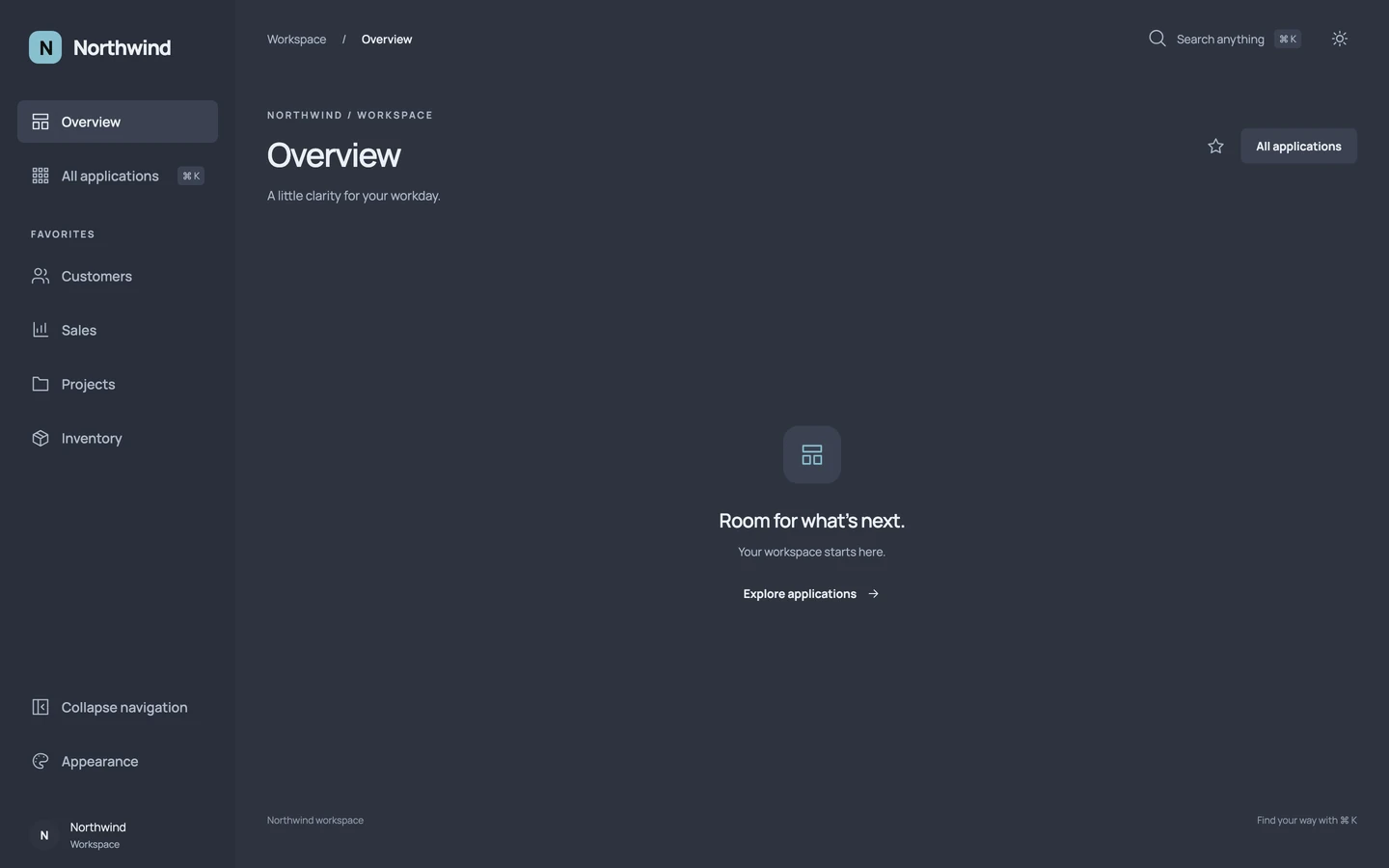
A fast, rebrandable workspace shell that gives your custom business software clean navigation, instant keyboard search, light and dark themes, and mobile support from day one.

- What it is
- Rebrandable application shell for custom business tools and ERPs
- Best for
- Operations teams replacing spreadsheets or unifying scattered tools
- Navigation
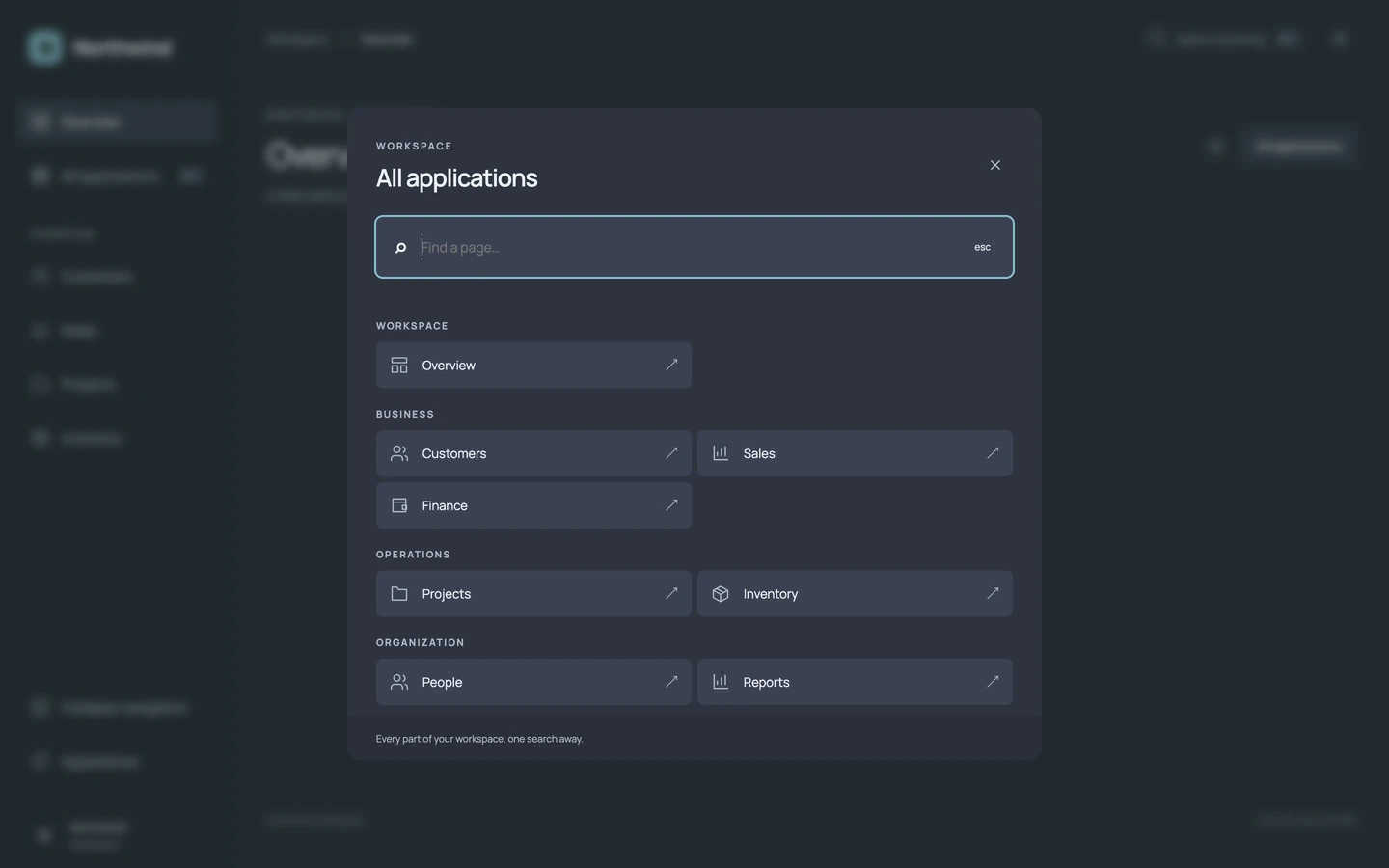
- Two clicks to any screen, ⌘K / Ctrl+K search, pinned Favorites
- Availability
- Included as the foundation of every custom DevOption project
THE PROBLEM
Why most custom software stalls before it helps anyone.
Before a custom app ever solves a single scheduling, inventory, or billing problem, teams usually spend months fighting layout boilerplate, inconsistent branding, and cluttered navigation.
-
01
Months wasted on boilerplate
Every internal tool needs sidebars, search, responsive mobile menus, keyboard accessibility, and themes. Rebuilding that chrome from scratch delays real business value.
-
02
Generic, bolted-on interfaces
Teams resist adopting software that feels disconnected from their company. Tools stick when they carry your organization’s name, logo, and colors from the first login.
-
03
Deep menus that slow down daily work
Legacy ERPs bury everyday screens under five levels of nested menus, lag on every click, and break on tablets or phones used in the field.
HOW IT WORKS
Start branded and organized on day one. Grow module by module.
Dashboard UI separates the workspace shell from your business modules. DevOption configures your brand and screens upfront, then plugs each new workflow straight into the same familiar home.
-
01
Configured around your brand
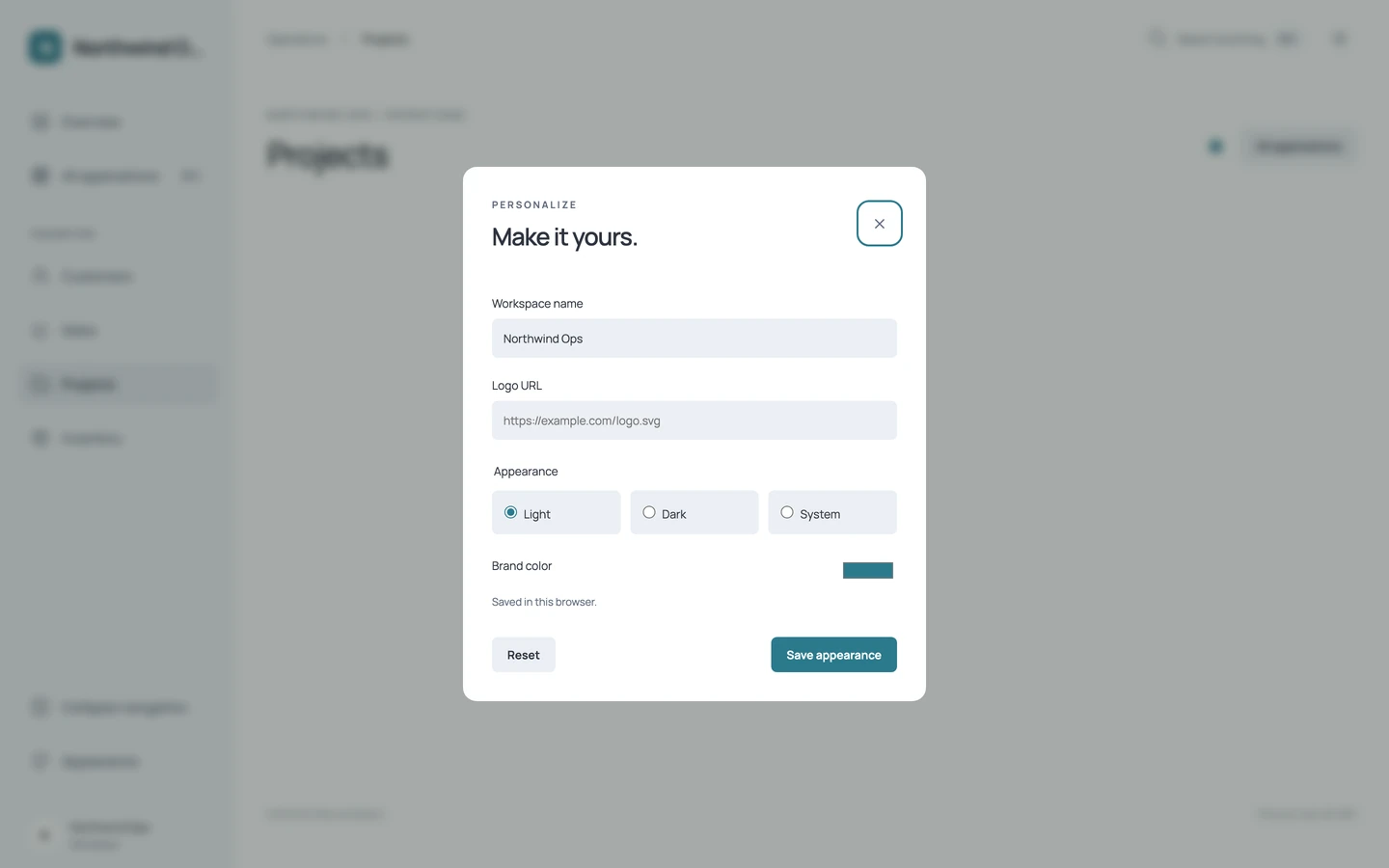
Set your workspace name, company logo, and brand accent color. Text contrast adjusts automatically for legibility, and users can choose Light, Dark, or System mode with zero flash on load.
-
02
Two clicks — or one shortcut — to anywhere
Every screen is reachable in two clicks through All applications, pinned to personal Favorites in the sidebar, or opened immediately with ⌘K (Mac) / Ctrl+K (Windows & Linux).
-
03
Ergonomic on desktop, tablet, and phone
Drag to resize the desktop sidebar or collapse it to an icon rail with accessible tooltips (preferences save automatically). On phones, it adapts cleanly into a slide-out drawer with zero horizontal overflow.
-
04
Lightweight, fast, and framework-free
Built in Rust with self-hosted typography and zero bloated front-end frameworks or remote trackers. The shell stays mounted during navigation so moving between screens feels instantaneous.
INSIDE THE WORKSPACE
Built for speed and personal comfort.
WHAT YOU CAN BUILD ON IT
One home that grows into your custom ERP.
Start with the single spreadsheet or workflow causing the most friction today. As your team asks for more, every new capability lands inside the same workspace — no extra logins or disjointed tools.
- Operations & dispatch: Job scheduling, inventory tracking, equipment sign-out, and field checklists.
- Customer & team hubs: Account directories, intake portals, approval queues, and reporting views.
- Real security boundaries: Navigation stays clean while every feature enforces server-side role and organization access checks.
HOW IT’S DELIVERED
Included with every DevOption project.
DevOption builds, hosts, supports, and improves your custom workspace as part of an ongoing software relationship.
- Branded base deployed early so your team sees a real working workspace right away.
- Prioritized around your workflow as you add new tools and improvements over time.
- Preview & approve every change before it goes live to production.
- Portable by design: Built on our open source platform so you can take the platform, your app, and your data with you.
BUILT ON DASHBOARD UI
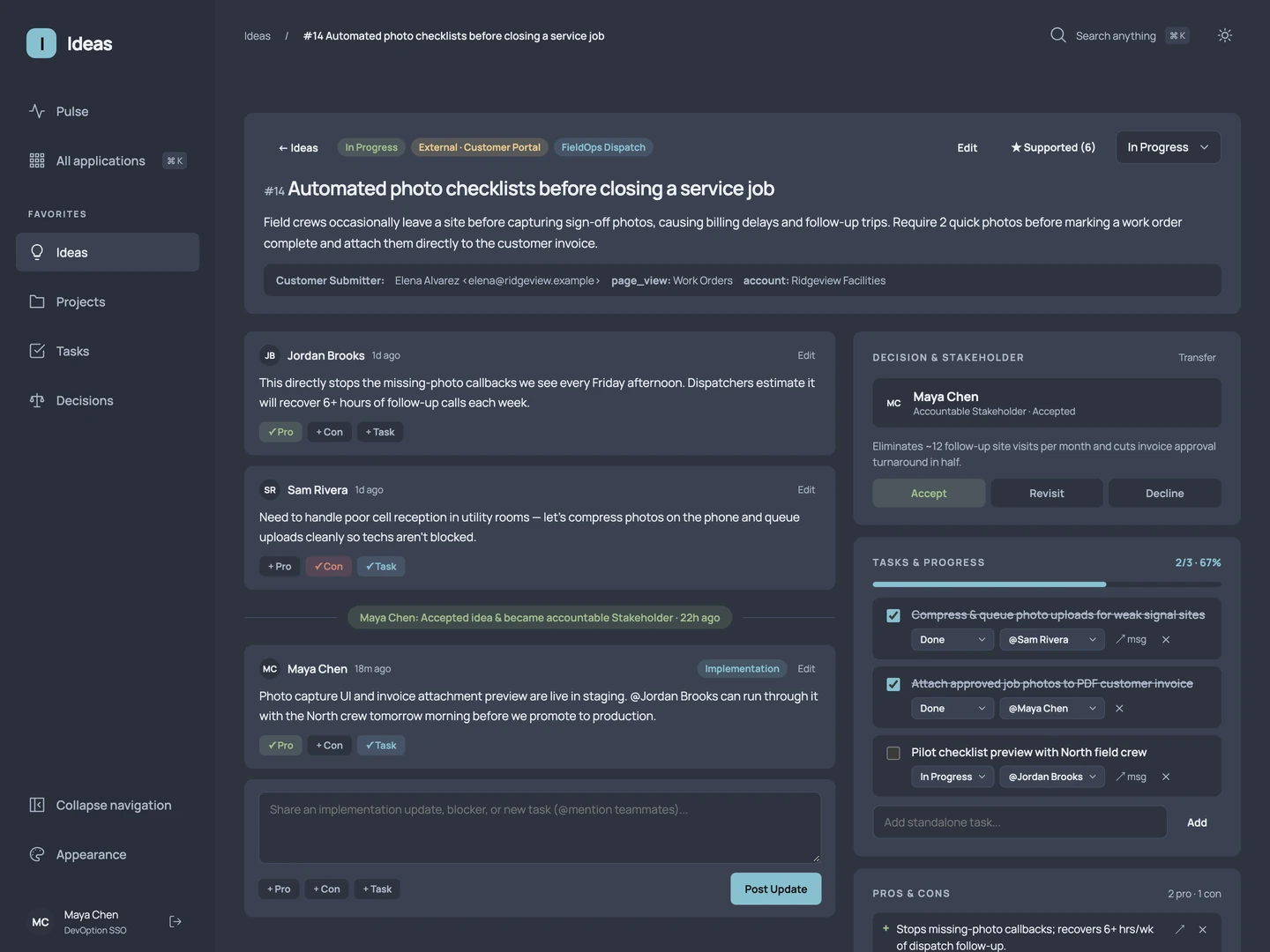
See a complete app running inside this shell: Ideas App.
We use Dashboard UI for our own software too. Explore our Ideas App one-pager to see how a real multi-view application — complete with live notifications, split-screen workspaces, and an external API — runs seamlessly inside this exact shell.